Track Changes, Inline Comments and a Review Queue
Testing finishes on Friday. The report goes out on Wednesday. Everything in between is review.
On most teams, that review lives in places the report doesn’t. Comments sit in email threads. Edits are made in a Word copy that someone has to merge back. A reviewer asks “did you see my note on finding 7?” and nobody can say which version the note was about.
Neuron keeps review inside the finding itself. The edit, the comment, the reply and the sign-off all sit on the same document your client will eventually read.
Every Edit Is Visible
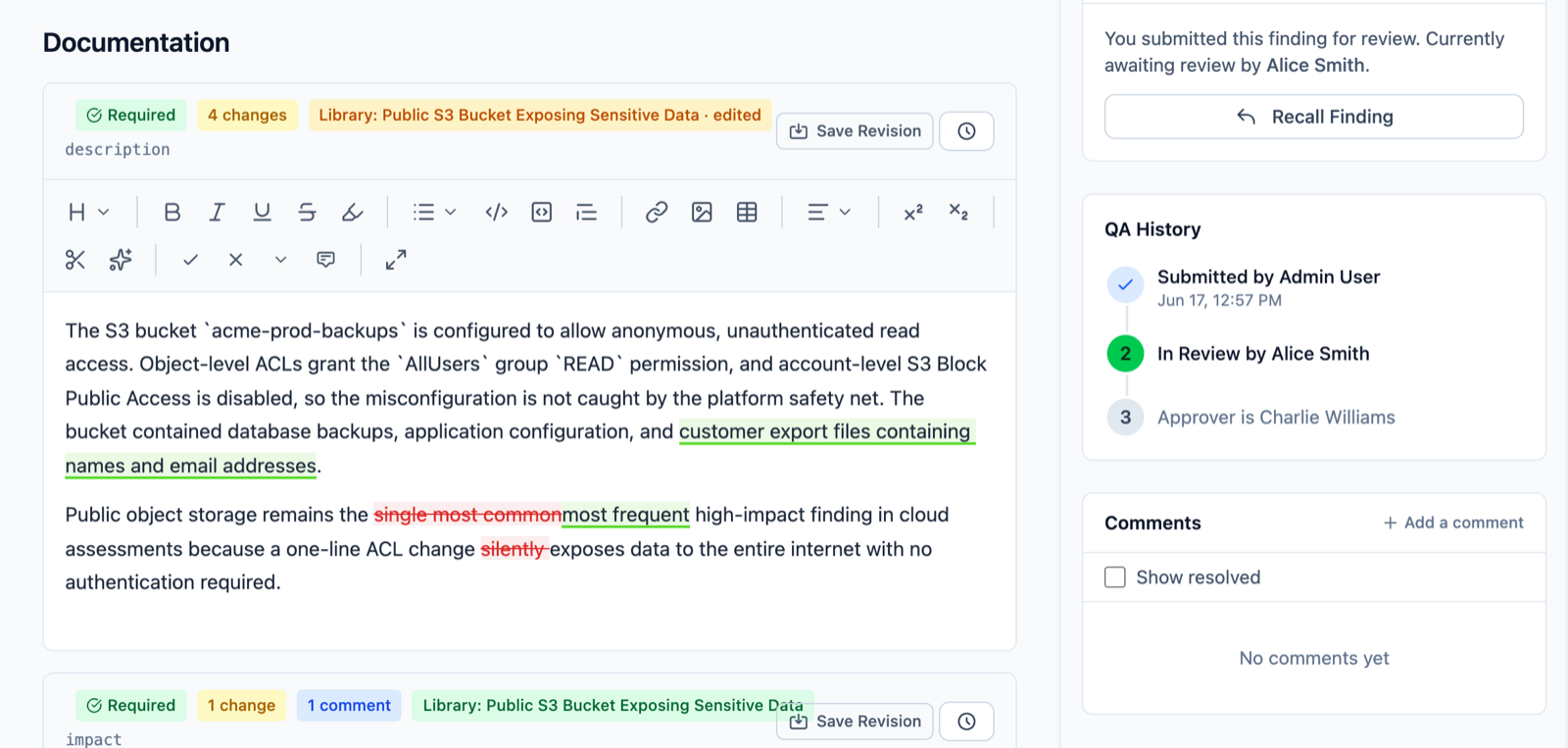
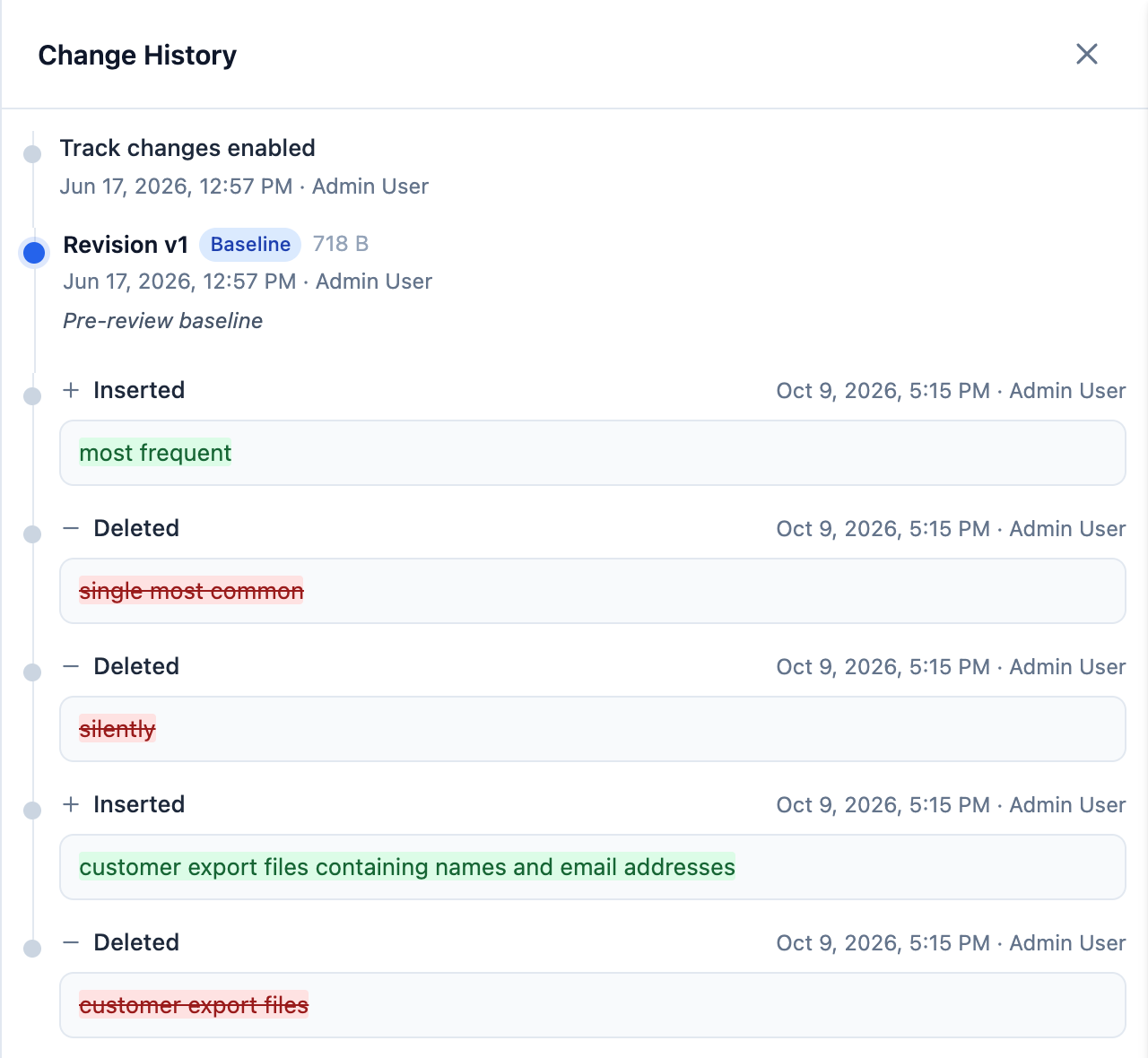
When a reviewer opens a finding, Track Changes records exactly what they do. Insertions are underlined, deletions are struck through, and formatting changes are marked separately. Hover over any change to see who made it and when.
The author works through the edits with Accept Change and Reject Change, or clears a whole document at once with Accept/Reject All. A badge on each field shows how many changes are still waiting.
Reviewers don’t have to remember to switch it on. When a library variant enters review, Track Changes turns on automatically, and it stays on until review is done.
Every saved revision is kept in the document’s history, so you can always see how a finding read before review started and restore it if you need to.
Comments Pinned to the Words
Select a sentence, click Add Comment, and the comment is attached to that exact text. Not to the finding in general. Not to an email that refers to “the second paragraph”.
Comments thread, so the author can reply and the reviewer can respond in place. When a point is settled, it’s resolved and moves out of the way. Open comments stay at the top, and one click jumps you to the text they refer to.
Nothing Gets Approved With Loose Ends
This is the part that matters most to whoever signs the report.
Neuron won’t approve a finding or a reporting brief while any tracked change is still undecided or any comment is still open. Every edit has to be accepted or rejected, and every comment resolved, before approval goes through.
No more findings slipping into a client report with a half-finished review. No more “I thought you’d fixed that.”
A Review Queue That Shows What’s Waiting
The Review Queue gives every reviewer one place to work from. It’s a board with three columns:
- Needs My Review: findings, library variants and briefs assigned to you
- Needs My Approval: items that have cleared review and are waiting for sign-off
- Waiting on Others: work you submitted that’s still moving
Filter by severity or by type, and search across everything in the queue.
Items that sit too long change color. Administrators set the warning and overdue thresholds in hours, and cards turn amber, then red, as they age. The badge in the navigation does the same, so you can see the queue’s health from anywhere in Neuron. Reviewers with overdue items get a daily email digest, and anyone who prefers not to can switch it off.
Two Steps or Three
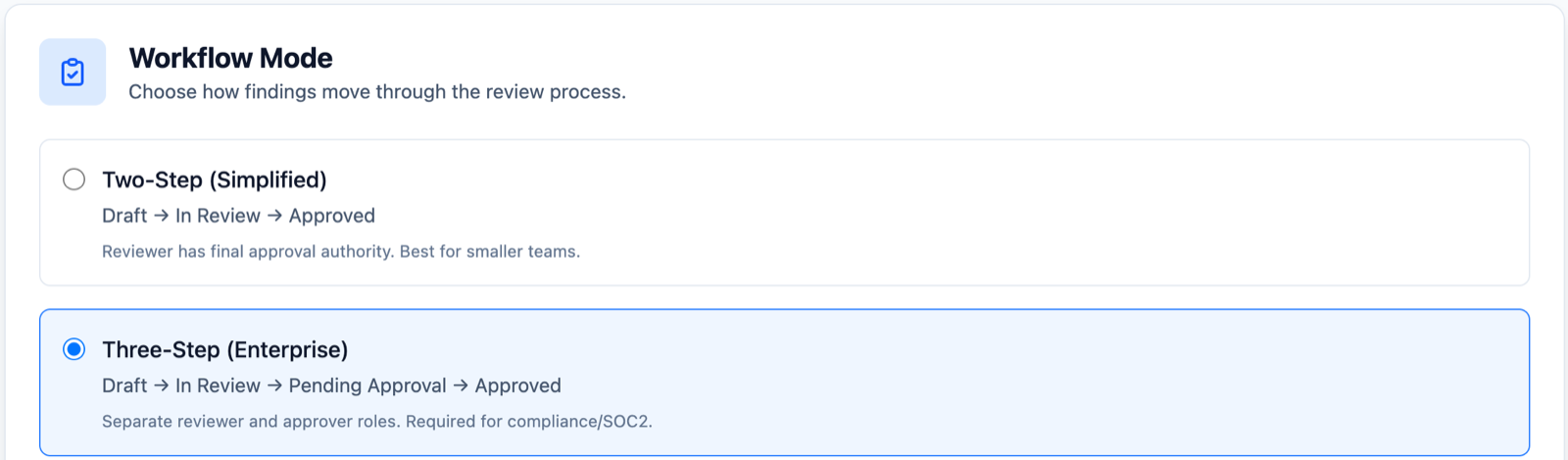
Teams review differently, so Neuron supports both common models:
- Two-Step: Draft, In Review, Approved. The reviewer has final approval authority. Good for smaller teams.
- Three-Step: Draft, In Review, Pending Approval, Approved. Separate reviewer and approver roles for teams with compliance requirements.
Each engagement has its own pool of reviewers and approvers, so the right people see the right work. Library variants go through the same process, so the content your testers start from is reviewed to the same standard as the findings they finish.
What This Means for Your Team
Review stops being the slowest, least visible part of delivery. Testers see exactly what changed and why. Reviewers work from a queue instead of an inbox. Leads can see what’s stuck before it becomes a missed deadline. And nothing reaches a client until every question about it has been answered.
If you’d like to see review in Neuron for yourself, visit https://neuron.ws/demo (opens in a new tab)
Thanks for reading,
The PenTest.WS Development Team

See Neuron on your terms.
Tell us about your team and environment. We will show you Neuron running the way you would run it: on your infrastructure, under your control.